

“New technologies can play a significant role in learning and teaching mathematical modelling...”
Cevikbas, Greefrath & Siller, 2023
Digital tools can help teachers support students to use technology as part of the modelling process, not as a shortcut to an answer. These tools can make it possible to explore more cases, change inputs, process repeated calculations, visualise relationships and compare outputs more efficiently than working by hand.
The Australian Curriculum describes mathematical modelling as using mathematics to “gain insight into and make predictions about real-world phenomena” (ACARA, 2022). To support this process in the classroom, reSolve teaching sequences organise mathematical modelling into four connected stages: formulate, solve, interpret, and evaluate. Students formulate a problem, solve it mathematically, interpret the result in context and evaluate whether the model provides a useful answer.
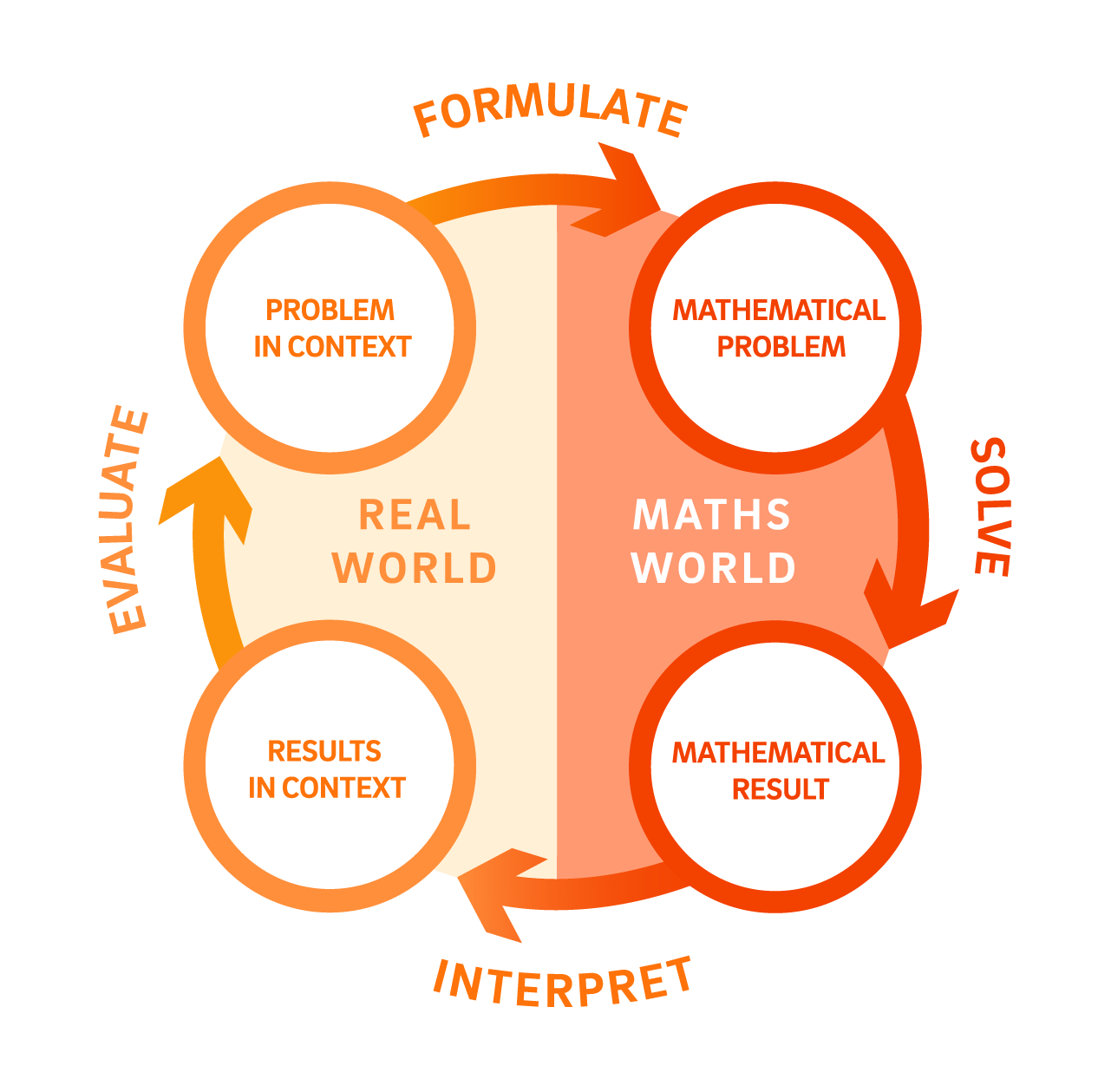
Digital technologies can support the mathematical modelling process by helping students organise information, process calculations, create tables and graphs, test different inputs, check results and interpret outputs in context (Cevikbas, Greefrath & Siller, 2023). They also help students do modelling work that is difficult to manage by hand, such as testing many cases, exploring “what if?” questions or comparing possible decisions.
Digital tools should not do the thinking for students. Students still need to make the modelling decisions. They need to decide what the model represents, what assumptions are built in, what can be changed, what should be compared, and whether the results make sense in context.
A common concern is that digital tools can become a black box. Students may enter values and accept the output without understanding what the tool has done, what assumptions are built in, or whether the result is reasonable. Teachers can reduce this risk by keeping the modelling decisions visible and regularly asking students to explain the relationship between the real-world situation, the digital model and the outputs it produces.
Four principles can help keep the mathematics visible:
- Introduce the tool when there is a modelling need. Students should first understand the situation and the purpose of the model. The digital tool should help solve a problem students recognise, such as testing many cases, changing inputs or managing repeated calculations.
- Keep the modelling decisions visible. Students should be able to explain what the model represents, what assumptions have been made, which inputs can be changed, and what the outputs mean.
- Use the tool to support interpretation, not just calculation. Digital tools can quickly produce results, tables, graphs or simulations, but students still need to interpret these outputs in the original context.
- Return to the model and refine it. After using the tool, students should consider whether the model behaves as expected, what it shows well, what it leaves out, and how it could be improved.
A practical classroom structure could be:
Start small by hand → notice the need for a tool → test more cases digitally → change inputs and compare outputs → interpret the results → refine the model
Working through a small number of cases by hand can help students see how a model works, including the calculations and assumptions on which it is based. However, repeating the same process for many different inputs can quickly become time-consuming. Digital tools can extend this work, allowing students to test more cases while keeping their attention on comparing results, interpreting outputs and refining the model.
Teacher prompts could include:
- What part of the situation is being represented?
- What assumptions have been built into the model?
- Which inputs can be changed, and what outputs should be compared?
- What does the digital tool make easier or allow us to explore that would be difficult by hand?
- What has the tool left out that might matter in the real-world situation?
- Does the result make sense in context, and how could we check or refine the model?
Discuss with your colleagues
For pre-service teachers
- Think about a digital tool you’ve used in a maths classroom or in your own studies (e.g. a graphics calculator, spreadsheet, simulation). Did it support modelling decisions, or did it just produce an answer?
- Pick one of the four principles above. What would a modelling task look like if you deliberately built it around that principle?
For classroom teachers
- Where in your lessons do students currently carry out repeated calculations, test many cases, or compare multiple possibilities by hand? Could a digital tool free up their attention for interpreting and refining instead?
- Which of the four principles is hardest to maintain in your classroom once students are using a digital tool, and why?
For leaders
- When students are assessed on modelling tasks, do the marking criteria reward the modelling decisions, assumptions, interpretation, refinement, or just a correct final output from the tool?
- Do the digital tools available across your department support modelling decisions (testing assumptions, comparing outputs), or are they mostly used as calculation shortcuts? Would teachers across the department agree with that assessment?
References
Australian Curriculum, Assessment and Reporting Authority. (2022). Australian Curriculum: Mathematics (Version 9.0). Australian Curriculum.
Cevikbas, M., Greefrath, G., & Siller, H. S. (2023). Advantages and challenges of using digital technologies in mathematical modelling education: A descriptive systematic literature review. Frontiers in Education, 8, Article 1142556. https://doi.org/10.3389/feduc.2023.1142556